
Send screenshots and notes to an AI agent
For: the moment you spot a UI problem while an AI agent is already working with you, and you want it fixed without breaking your stride.
Describing a layout bug in words is slow, and the agent still guesses. A screenshot with a one-line note is faster to make and harder to misread, but only if the agent can open the file. A quick shot puts the path and the note on your clipboard together, so one paste is the whole instruction.
The flow
- Press
Ctrl+Shift+1and drag the button that is wrong. - Type what is wrong in the note box beside the shot.
- Press Copy for agent, or
Ctrl+Shift+A. The path and the note are on the clipboard. - Paste into your agent and carry on.
Three small things on the same page? Press Add to batch (Ctrl+B) on each and keep going; the window counts the batch and Show batch lists it. On the last one, Copy batch for agent copies all of them with their notes, so the agent gets one message with three screenshots and three instructions.
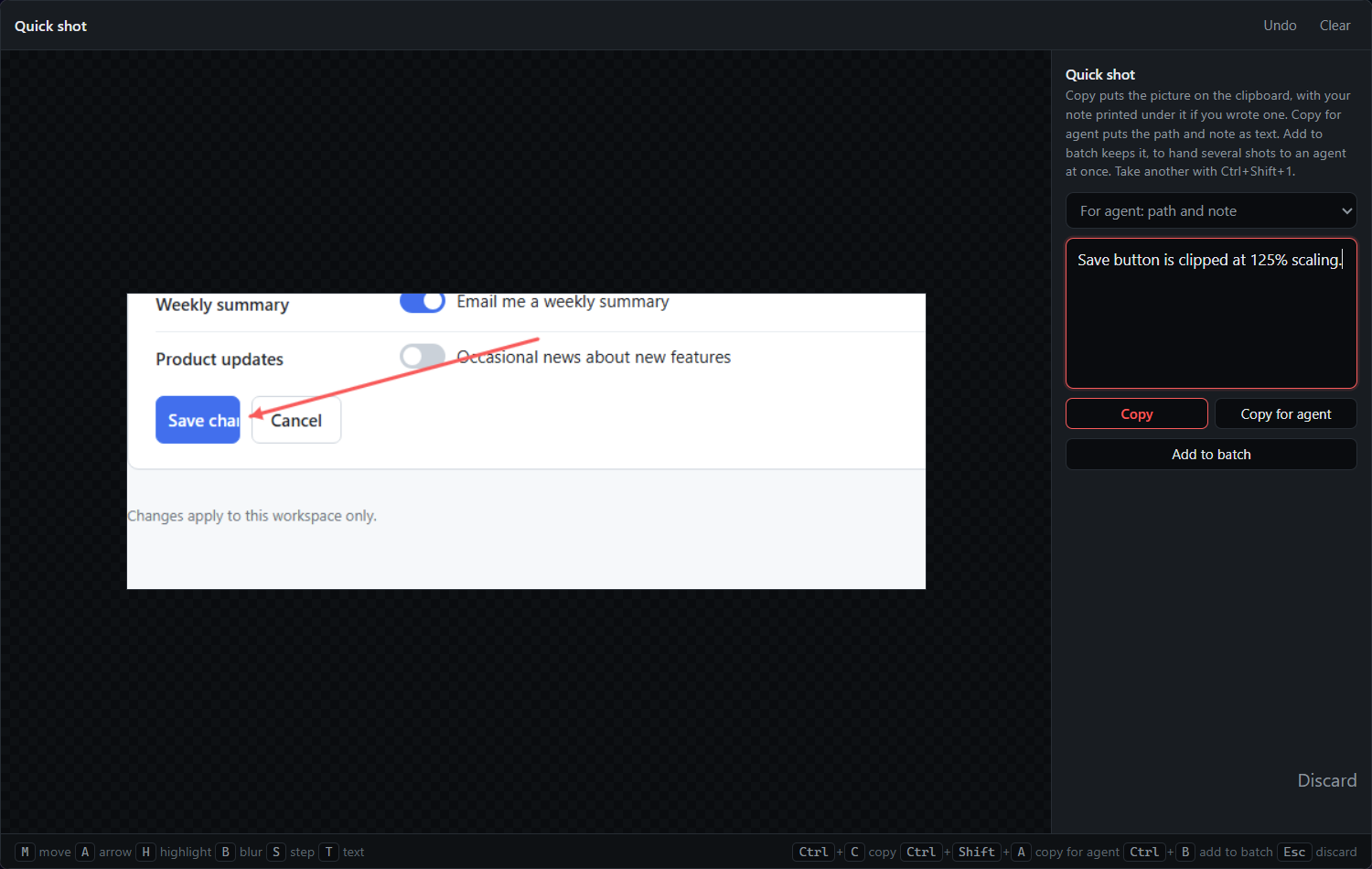
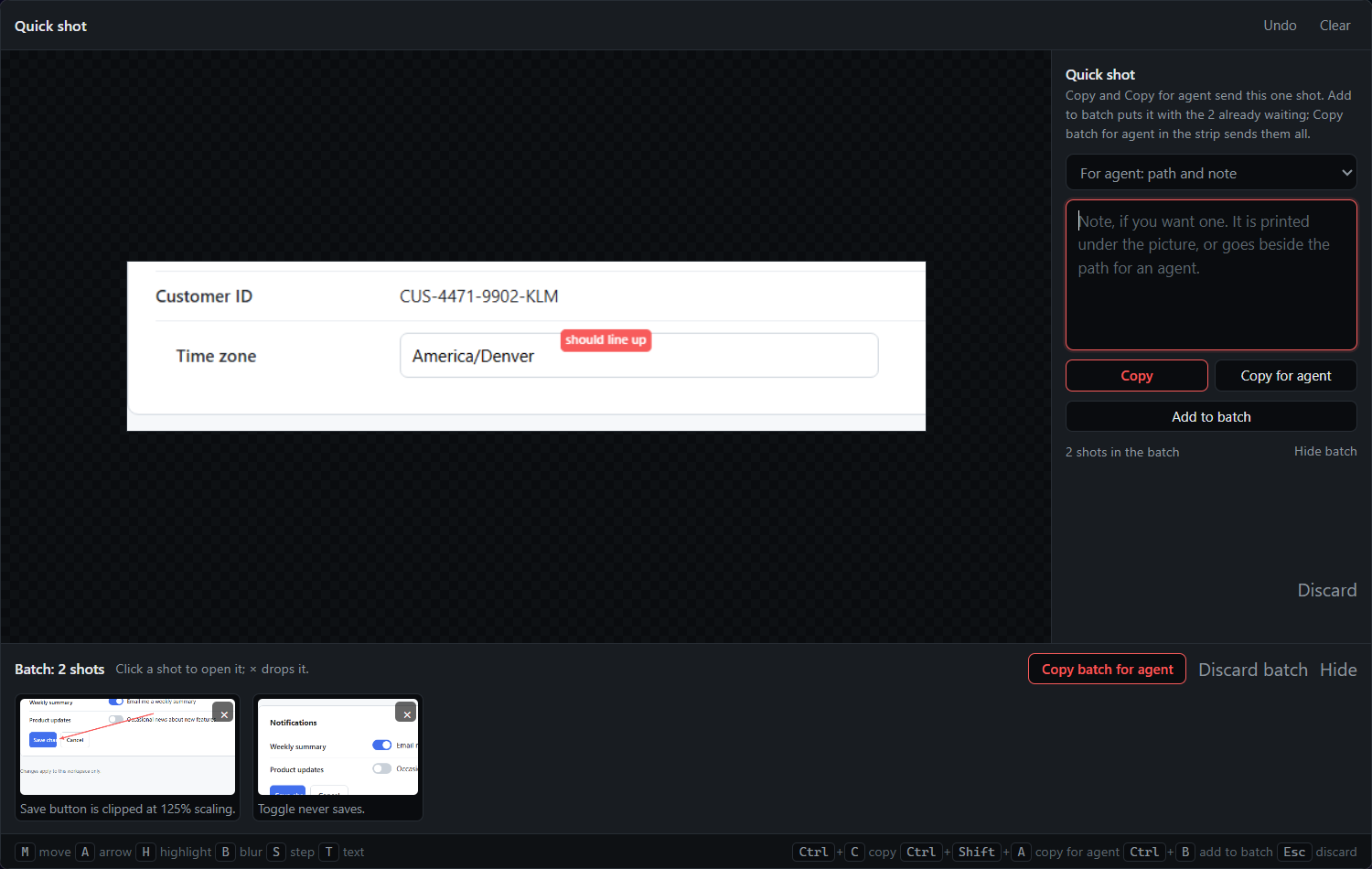
What you get
For a single shot, the clipboard holds a path the agent can open and the note that tells it what to do:
C:\Users\nick\QACut\Quick\2026-09-19_101512\01.png
The save button is clipped at 125% scaling.
For a batch, the paste starts with a line naming the folder, then every shot with its note:
3 quick shots in C:\Users\nick\QACut\Quick\2026-09-19_101512. Each PNG has
its note in the .md beside it; notes.md lists them all.

C:\Users\nick\QACut\Quick\2026-09-19_101512\01.png
The save button is clipped at 125% scaling.

C:\Users\nick\QACut\Quick\2026-09-19_101512\02.png
This toggle animates but the state never saves.

C:\Users\nick\QACut\Quick\2026-09-19_101512\03.png
Align this label with the field above it.
On disk, each PNG has its note in a small markdown file beside it, and notes.md in the batch folder lists them all.
Tips
- Batches close on hand-off. Your next quick shot starts a fresh folder, so an agent you talk to later never sees the shots you already had fixed. New batch in the note box moves the shot you are noting into a fresh folder without closing the old one.
- If you always want the same instruction around the shots, save it once in the Prompt library as a quick-shot prompt, with
{shots}where the paths and notes go. A Hand off as picker then appears above the note. - The single-shot and batch texts are templates too.
{path},{note},{count},{dir}and{entries}are filled in; edit them under Prompt library… in the tray. - Copy quick batch for agent is a tray item with no default hotkey; bind one under Keyboard shortcuts… if you hand batches off from outside the window.
Related
- Copy and paste a screenshot in seconds, when the reader is a person and there is nothing to explain.
- Mark up a screenshot and paste it anywhere, when an arrow says it faster than a note.
- Build a task list of UI fixes for an AI agent, when the list grows past a handful or spans several pages.
- Quick shots in the docs.