
Build a task list of UI fixes for an AI agent
For: a round of UI fixes across a whole app, or any list of changes that spans pages, handed to an agent in one go.
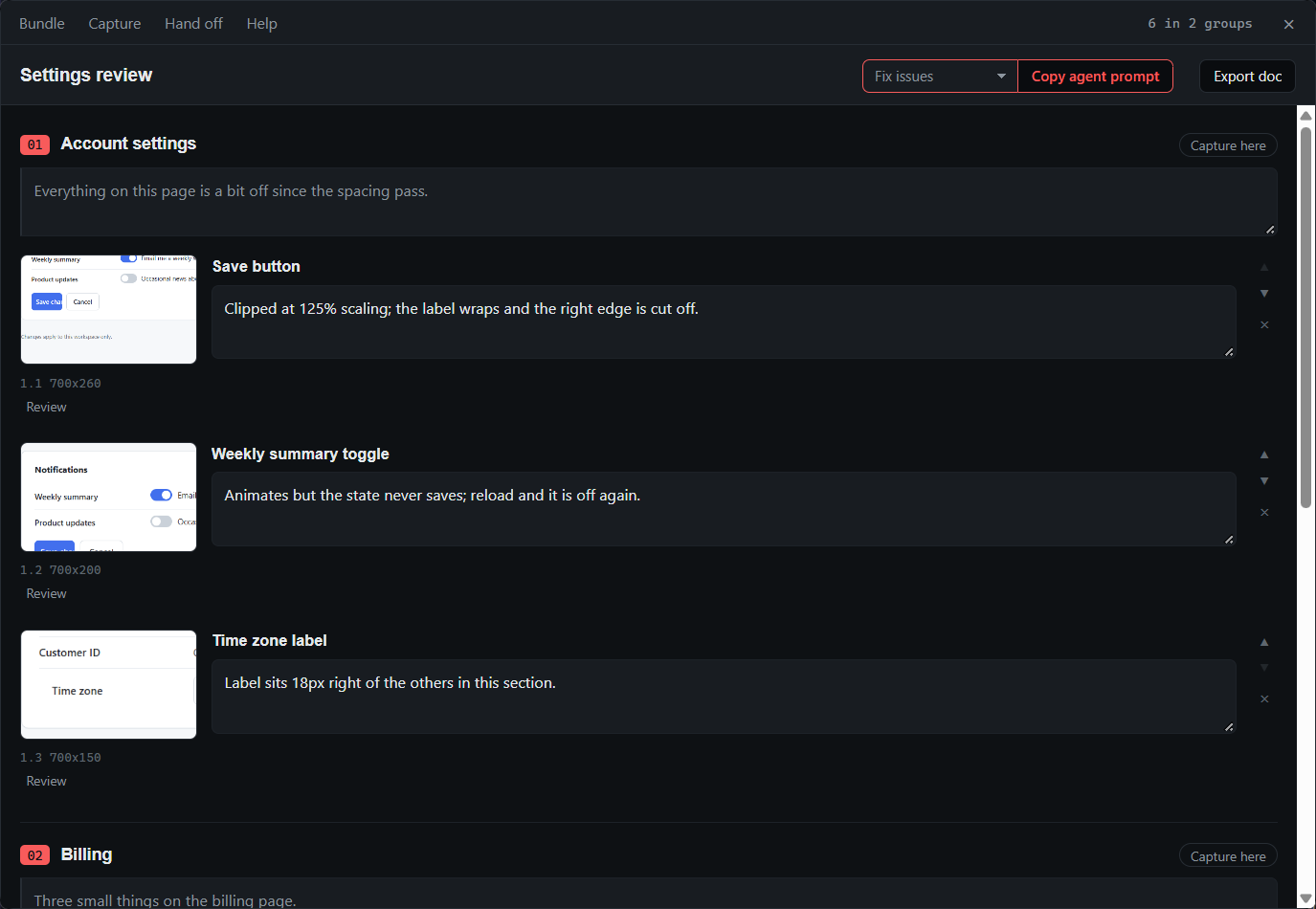
Twenty problems across six pages do not fit in a chat message. Paste them one at a time and the agent loses track of which screenshot went with which note; paste them all and it guesses. A bundle keeps each note tied to its screenshot, each screenshot in its page, and the whole list in order.
The flow
- Capture as you go through each page with
Ctrl+Shift+2. Each shot's note says what is wrong: "clipped at 125% scaling", "this toggle never saves".Entersaves it. - Press
Ctrl+Shift+Gwhen you move to the next page, and let the master note carry what is true for the whole page. - Mark up where words are slow: press
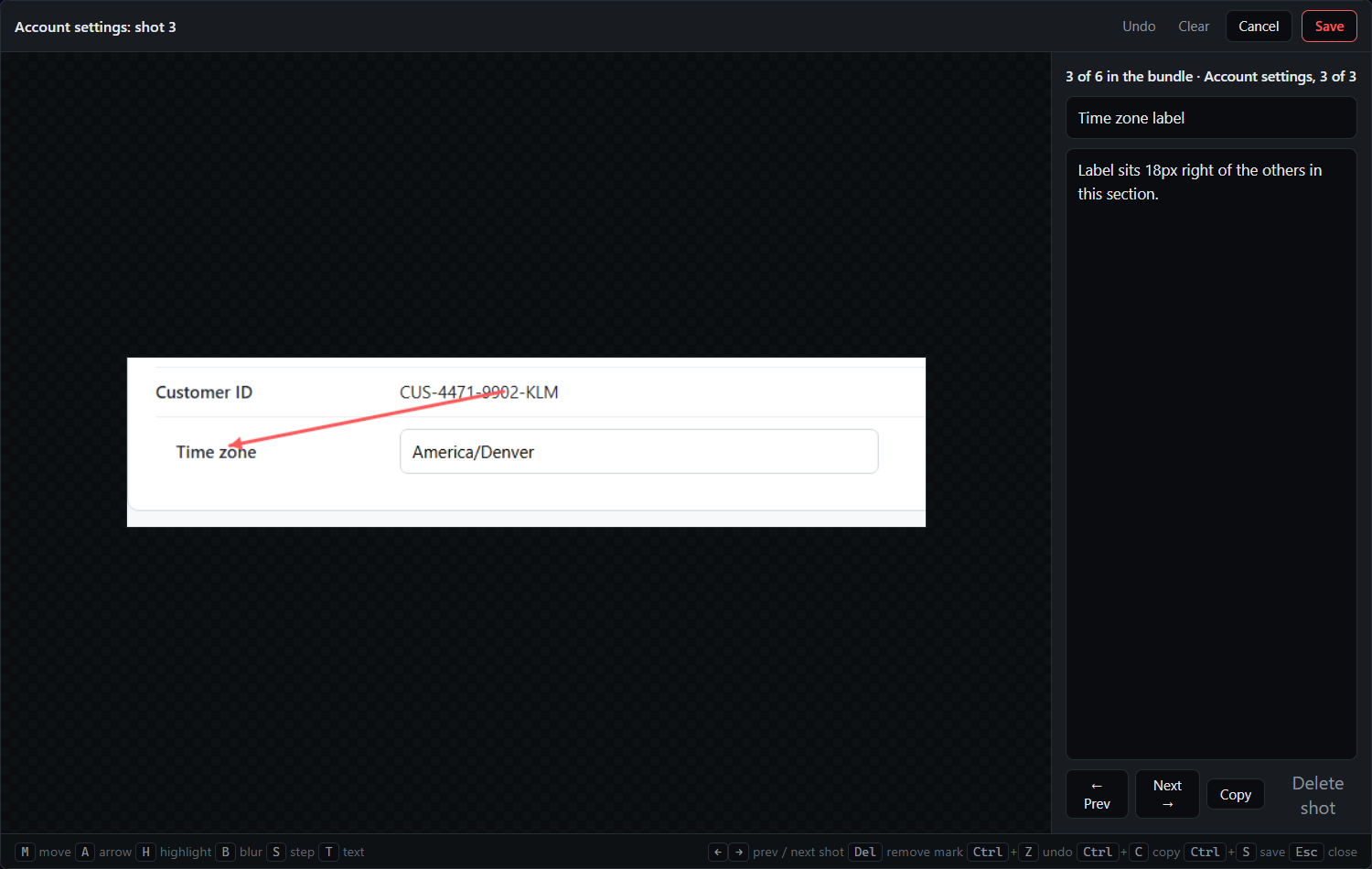
Ctrl+Shift+Q, open a shot in the editor, and put an arrow at the misaligned label or a highlight on the wrong colour. - Press
Ctrl+Shift+Enterto finish. Set the purpose to Fix issues, press Copy agent prompt, and paste into your agent.
What you get
A folder the agent can work from, in order, and a bundle.md that explains itself at the top: each group is a page or area, the quoted note under a heading applies to everything in the group, and each numbered item is a screenshot with its note.
# QA bundle: Settings review
## 1. Settings page
> Everything on this page is a bit off
### 1.1 Save button

Clipped at 125% scaling; label wraps.
### 1.2

Toggle animates but the state never saves.The Fix issues prompt asks the agent to work through the screenshots and fix what the notes describe. Twenty screenshots across six pages stay legible because the structure does the explaining.
Tips
- Finishing closes the bundle, and the next capture starts a new one. To add to a finished bundle, press Capture here on one of its groups in the bundle window, or reopen it from Bundle → Open bundle….
- Drag shots in the bundle window to reorder them or move them between groups, and drop any that turned out not to be a problem before the agent sees them.
- For a chat agent that only takes uploads, Save ZIP for chat zips the folder and copies a prompt that says "the attached ZIP".
- Your own instruction can replace the built-in one: Custom prompt in the purpose menu, with
{root}for the folder path and{name}for the bundle name, or a saved bundle prompt from the Prompt library.
Related
- Send screenshots and notes to an AI agent, when it is one fix, or three, while the agent is already working.
- Organize screenshots into a document and export it, when the bundle is steps to follow rather than things to fix.
- Hand a bundle to an AI agent with your brand kit, the other built-in purpose.
- Bundles for agents in the docs.