
Keyboard shortcuts
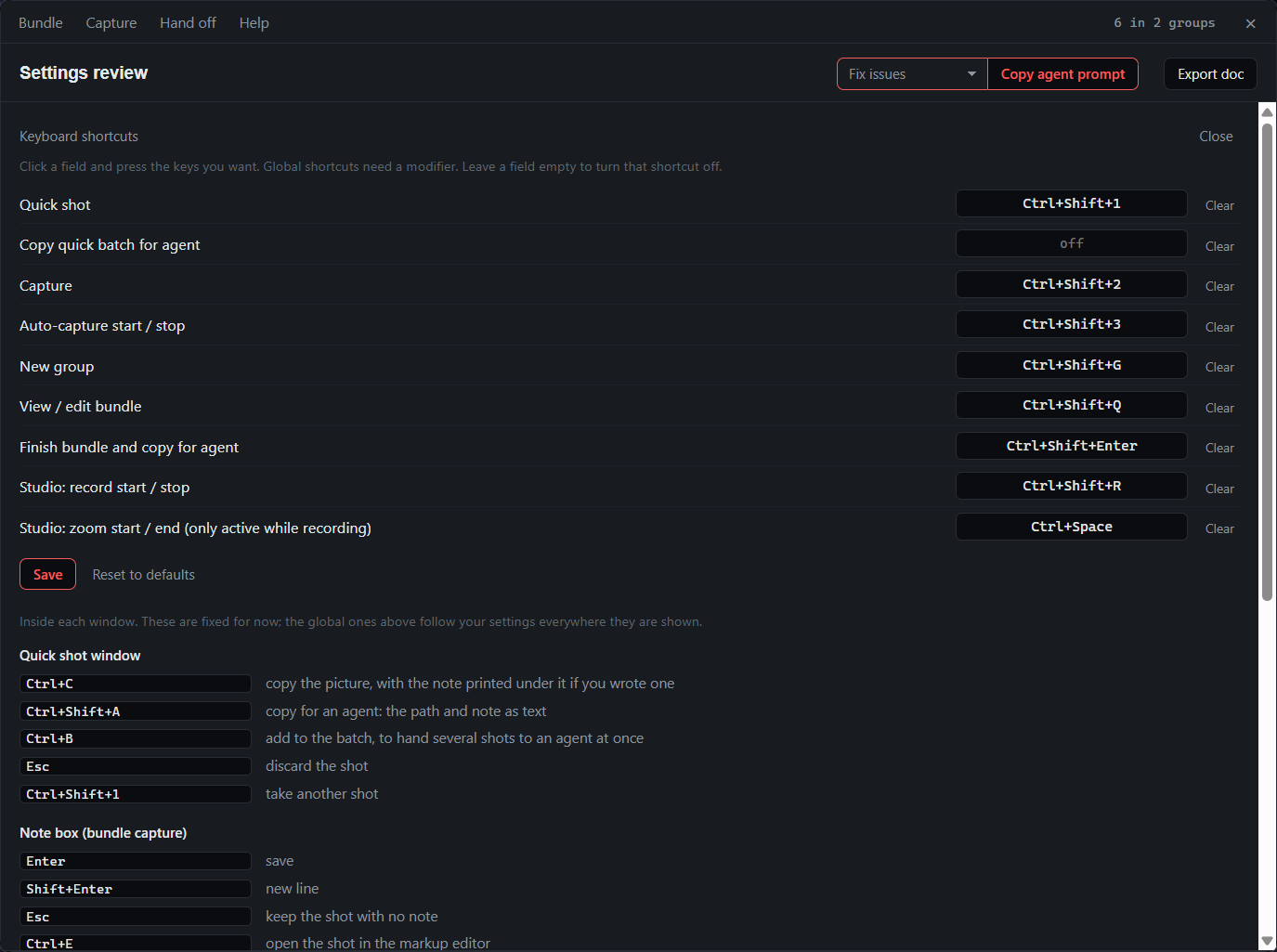
All of these can be changed: Keyboard shortcuts… in the tray, or Help → Keyboard shortcuts… in the bundle window. Click a field, press the keys, Save. A shortcut another app already owns is reported and the rest still apply. Leave a field empty to turn one off.
Global
| Default | Does |
|---|---|
Ctrl+Shift+1 | Quick shot: capture a region and note it; Enter keeps the batch open |
| none | Finish the quick batch and copy its paths and notes (tray item; bind a key if you want one) |
Ctrl+Shift+2 | Capture a region and note it |
Ctrl+Shift+3 | Auto-capture a region; again to stop |
Ctrl+Shift+G | Wrap up the current group with a master note |
Ctrl+Shift+Q | Show or hide the bundle window |
Ctrl+Shift+Enter | Write the bundle and copy the folder path |
Ctrl+Shift+R | Studio recording; again to stop |
Ctrl+Space | During a Studio recording: zoom in here, again to zoom out. Only registered while a recording runs, so editors keep it the rest of the time |
In the note box
| Key | Does |
|---|---|
Enter | Save |
Shift+Enter | New line |
Esc | Keep the screenshot with no note; cancel a group wrap-up |
In the quick shot window
| Key | Does |
|---|---|
Ctrl+C | Copy the picture, with the note printed under it if you wrote one |
Ctrl+Shift+A | Copy for agent: the path and note as text |
Ctrl+B | Add to batch, to hand several shots to an agent at once |
Esc | Discard the shot |
M A H B S T | Move, arrow, highlight, blur, step counter, text label |
Esc | Keep the screenshot with no note; cancel a group wrap-up |
In the capture overlay
| Key | Does |
|---|---|
Esc or right-click | Cancel |
Enter | Start recording (after adjusting the region) |
In the studio
| Key | Does |
|---|---|
Space | Play or pause |
← → | Step one second; with Shift, five |
I O | Video starts or ends at the playhead |
X | Cut: once at the start of a stretch, once where it resumes |
Delete | Remove the selected zoom or cut |
Esc | Deselect, close a panel, then close the window |
In the image editor
| Key | Does |
|---|---|
M A H B S | Move, arrow, highlight, blur, step counter |
| Arrow keys | Nudge the selected mark; with Shift, by ten |
Delete | Remove the selected mark |
Ctrl+Z | Undo |
Enter | Save |
Esc | Cancel |