
Prompt library
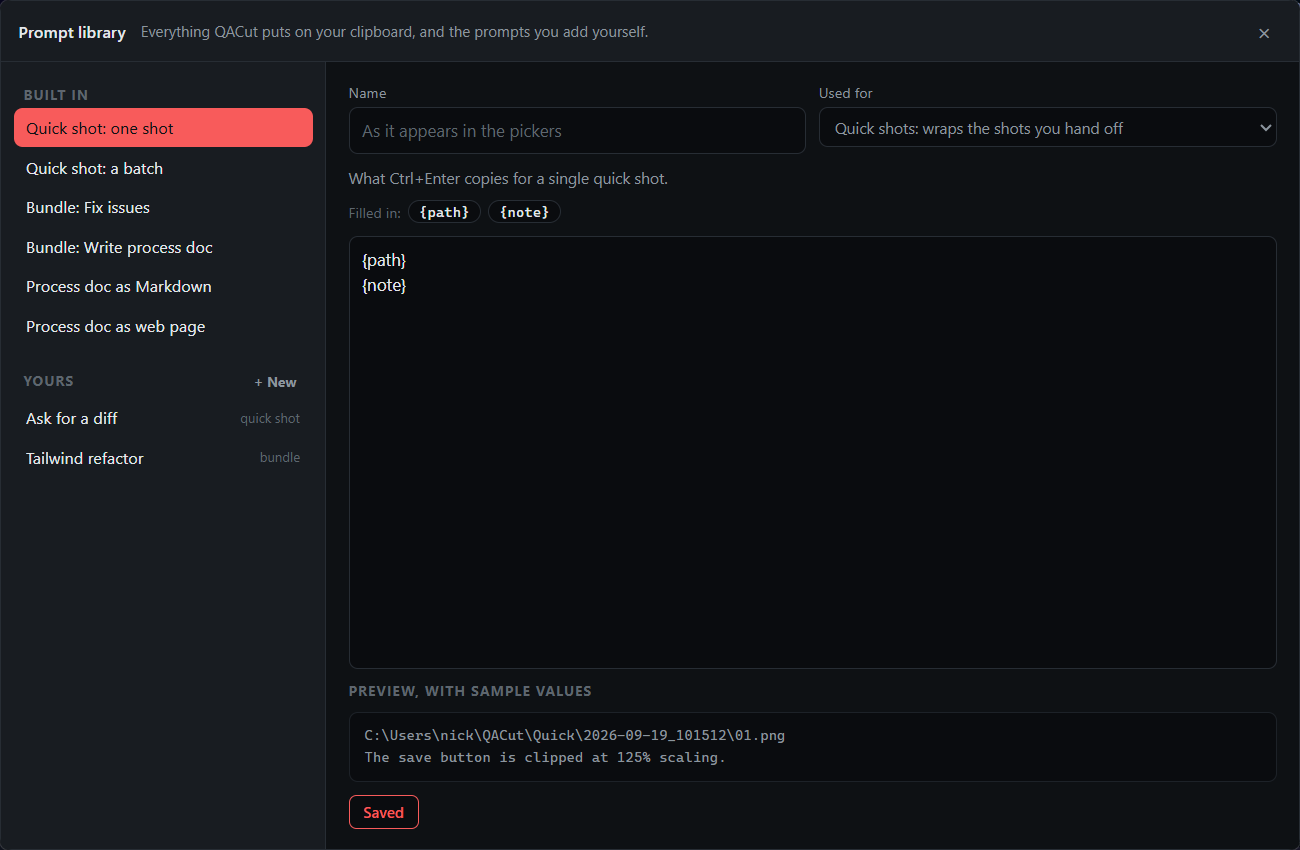
Every text QACut puts on your clipboard is a template, and the Prompt library is where you edit them and add your own. Open it from Prompt library… in the tray, or Hand off → Prompt library… in the bundle window.
Built in
Six texts ship with QACut. Each can be rewritten, and Reset puts the default back.
| Prompt | Used when | Filled in |
|---|---|---|
| Quick shot: one shot | Copy for agent on a quick shot | {path}, {note} |
| Quick shot: a batch | Copy batch for agent | {count}, {dir}, {entries} |
| Bundle: Fix issues | Copy agent prompt with the purpose Fix issues | {location}, {root}, {name} |
| Bundle: Write process doc | Copy agent prompt with the purpose Write process doc | {location}, {deliverable}, {root}, {name} |
| Process doc as Markdown | Becomes {deliverable} for a Markdown document | |
| Process doc as web page | Becomes {deliverable} for a web page |
{location} is the folder path for a CLI agent, or "the attached ZIP" for a chat hand-off. A built-in left at its default is stored as empty, so if a default improves in a later release you get the improvement.
Your own prompts
+ New adds a prompt with a name and a kind:
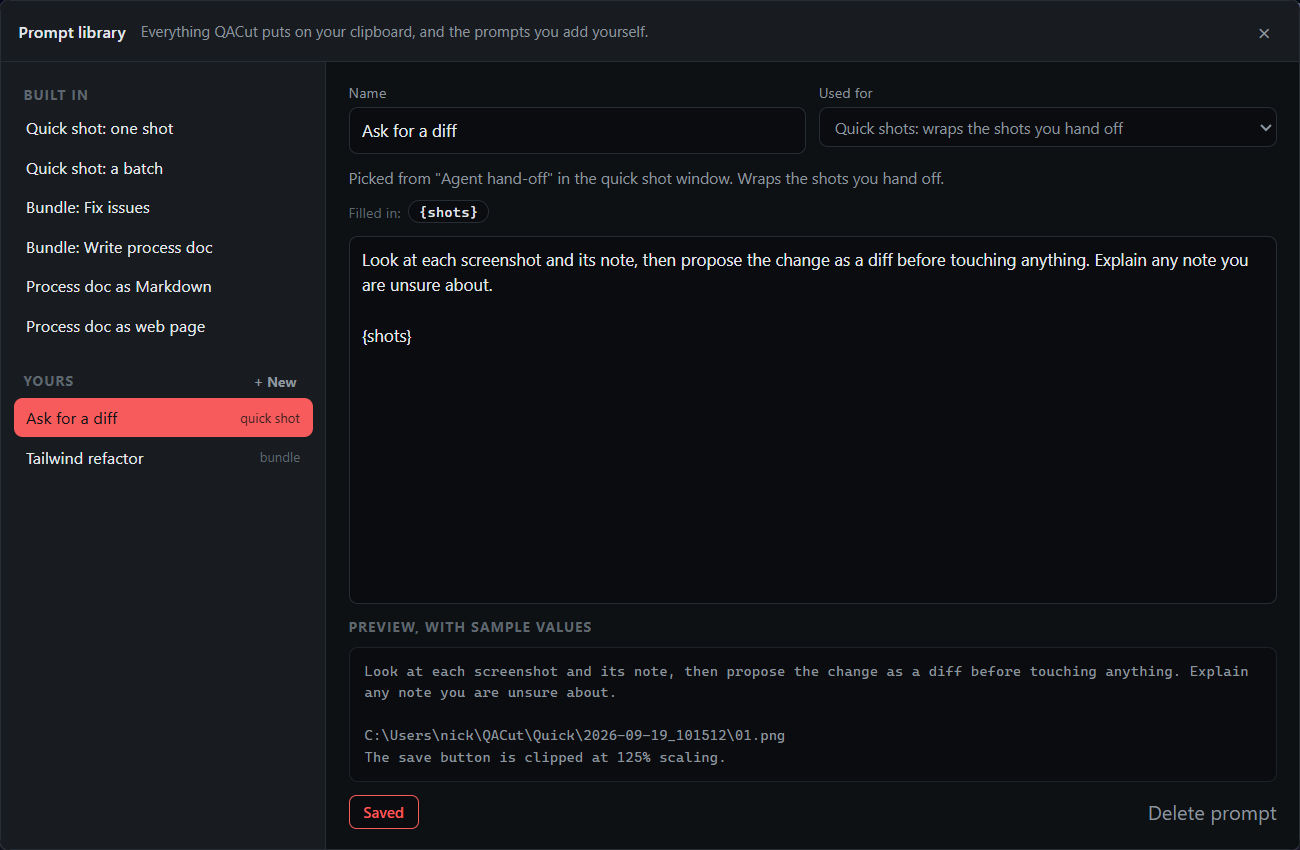
- Quick shots. The prompt wraps the shots you hand off. Put
{shots}where the paths and notes should go, or leave it out and they are appended. Once you have one, the quick shot window shows a Hand off as picker above the note. - Bundles. The whole instruction for a bundle, with
{root}for the folder and{name}for the bundle. It appears by name in the bundle window's purpose menu, and the choice is saved with the bundle.
Duplicate as mine on the Fix issues or Write process doc prompt is the quickest way to start a bundle prompt from a known-good one.
Editing
The placeholders for the selected prompt are chips; click one to insert it at the cursor. The preview underneath fills them with sample values so you can see the shape before it is used. Nothing is written until Save (Ctrl+S), and switching prompts or closing with unsaved changes asks first. Prompts are stored in ~/QACut/prompts.json.